 |
| Click here to go to main blog |
Friday, January 13, 2017
Centralising all my blogs
This blog is now discontinued as I have moved all my blogs to one central blog

Wednesday, May 13, 2015
What to do with extra screens in the classroom?
A couple of my schools are experimenting with having an extra TV screen in their room. One of the schools has 4 e-Learning rooms with 1-1 iPads, 12 Chromebooks and 10 Laptops. They have a projector, a large TV and a small TV. The other school has two TVs, one large and one small.
I first came up with this idea last year when I did some demonstration teaching at Alfriston School in a Year 5/6 class. The room had a projector and one TV. I had picked up a 21 inch TV with an apple TV so I thought I would try it as an independent centre. Students were using it for peer editing and collaborative games. So now the class had a main TV for a teaching station where groups would come for their instructional teaching, and a smaller TV that students could use themselves.
Clevedon has put a smaller TV in all their e-Learning rooms and the following are suggestions of ways to use them.
I first came up with this idea last year when I did some demonstration teaching at Alfriston School in a Year 5/6 class. The room had a projector and one TV. I had picked up a 21 inch TV with an apple TV so I thought I would try it as an independent centre. Students were using it for peer editing and collaborative games. So now the class had a main TV for a teaching station where groups would come for their instructional teaching, and a smaller TV that students could use themselves.
Clevedon has put a smaller TV in all their e-Learning rooms and the following are suggestions of ways to use them.
Ways to use the 'extra' small TV in the classroom
It is best placed on a large table that will fit at least 6 students around
Work Station
- teacher starts an online modelling book with students and then leave them to continue with activities
Writing peer editing group
- students share their writing with each other, five minutes reading and commenting, then use the TV to look at the comments and the author can improve writing discussing comments with others
- collaboratively write one piece of writing and use TV to view with all students contributing ideas
Workshops
- have one computer or iPad mirrored with problem to solve or game to play
- students collaboratively solve together, using other iPads/laptops/maths books to record
- start a workshop or online modelling book with a group and leave them to continue
Games
- one iPad or laptop mirrored, game is passed around with others offering advice
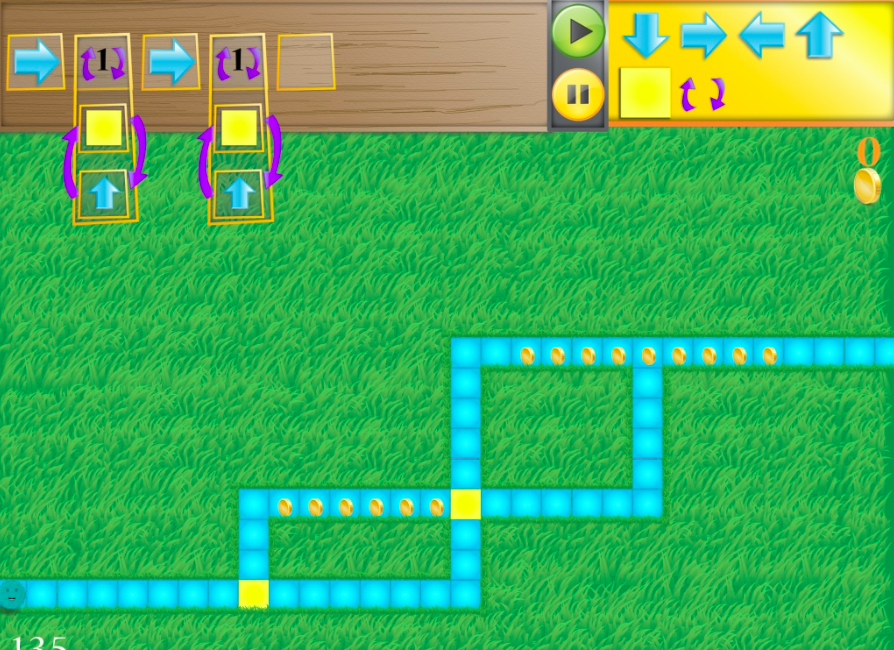
- work through a coding project with a group (students will need to work out their codes on paper, or whiteboard table or whiteboard app
Research
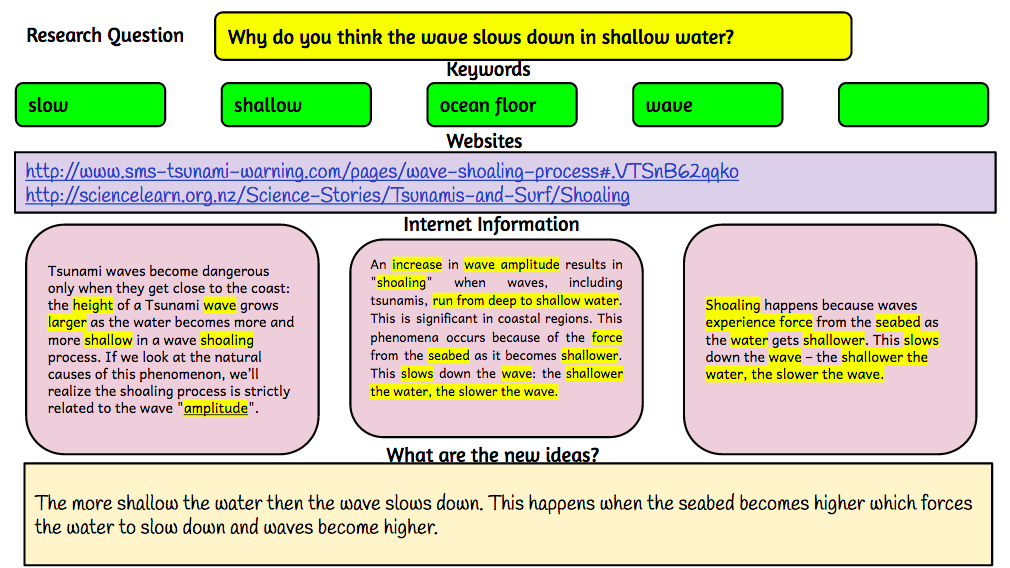
- collaborative research with students looking up information and filling in graphic organisers (students can be using their own devices to look for information and add to collaborative document, collaborative document can be on TV screen for all to see)
- TV screen can be used to show mindmapping, one student typing up what other students are suggesting
Reading
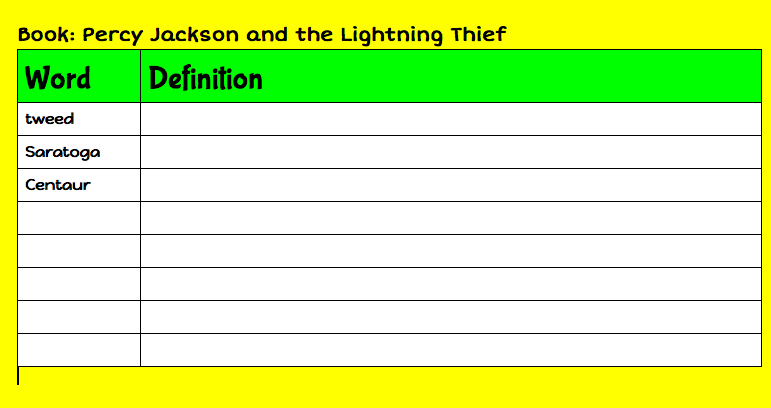
- students sitting reading through text, adding words to collaborative doc, then searching for definitions after the reading
Friday, August 8, 2014
Fourth and final day of 'Walk the Talk' Alfriston
Today was the last day of my Walk the Talk. The students know the drill now and settle down very quickly to all of their tasks. Writing still seems to be their favourite and we are receiving some wonderful writing from them. The following are examples of writing that is still being edited
And another
and then there was the 'Peer Editing'...
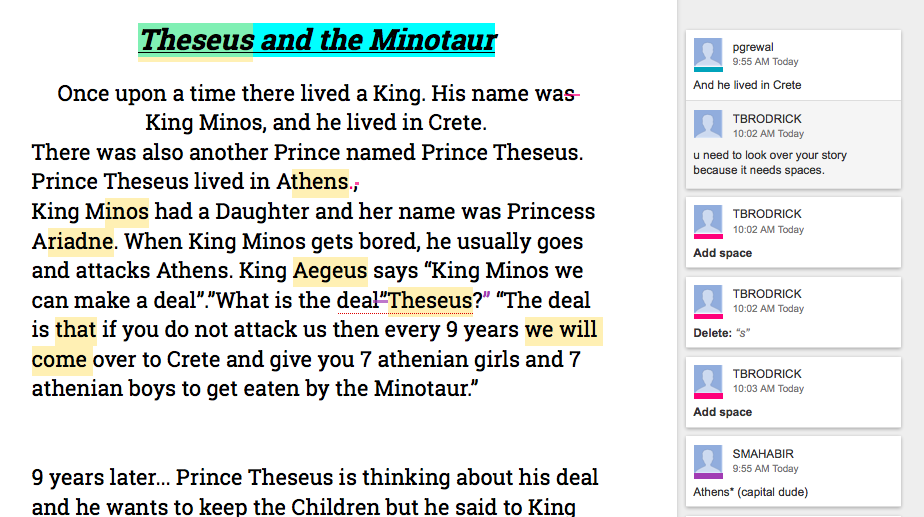
 The students sat at the 'Teaching and Learning Station' table with their Chromebooks reading, suggesting, commenting on one student's story that had been shared with them. The story to be edited was also mirrored to the TV through my Mac Laptop. Here are examples of students commenting on student work (Note the last comment in the first example 'Athens (capital dude)'
The students knew what their Learning Intentions and Success Criteria were and used that as the basis for most of their comments.


 The Novel study groups have been reading their books on the Kindle either on the Chromebooks or the iPads.

 I use the Vocab Logs to teach from. We choose a word from the lists they have made, we go to Kindle, search for the word, read it in context in however many hits of the word we get. Then we tap and hold on the word and get the Dictionary meaning, and if it is a suitable word for it, we tap on Wikipedia or Google to find out more information about the word. Then we bring it all back to the context of the story.


 The changes to the workshops worked well with me being able to leave the students to keep on doing the learning themselves without me. I used Thinking Blocks Fractions app
with these students. One boy who had been having difficulties, really responded well to this app and completed a page of work, and was so proud that he now understood how to do Fractions of a number now.
The changes to the workshops worked well with me being able to leave the students to keep on doing the learning themselves without me. I used Thinking Blocks Fractions app
with these students. One boy who had been having difficulties, really responded well to this app and completed a page of work, and was so proud that he now understood how to do Fractions of a number now.

 Student are managing their Google Maths Docs well, they
Inquiry
Today the students started writing their Research question. The first steps to designing a research question is to write down what we already know. I introduced them to the Graphic Organiser
Writing Questions. They went to the Wiki Research page and clicked on the link to open it and then they made a copy and saved it to the Room 9 folder so that I could access it.
 This took them most of the session. Some of them still need to work out which one will be there research question. Once they have an idea, I would suggest that they use the 'Big Wide Question' graphic organiser, that I made specially when I observed some students in another school trying to develop their questions.
 Once they have developed their question they will need to identify what their keywords will be. With all of the work we have done with keywords this week, they should be able to manage that part of the task easily.
Now it is time to look for the information using the keywords, collect and store which they can do in this Google Doc.
I have had a wonderful 4 days working with Room 9 and co-teaching with their awesome teacher Bonnie.
The successes were:
And another
and then there was the 'Peer Editing'...
The students knew what their Learning Intentions and Success Criteria were and used that as the basis for most of their comments.
This was a great way for students to be part of the editing process, and they were all learning at the same time.
At the beginning of the Writing session I also pointed out the Different Ways to Publish your stories on the wiki.
Once the Students have finished their publishing, they will start the whole process again but with a myth of their choice, starting off with the Graphic Organiser.
Reading
The Novel study groups have been reading their books on the Kindle either on the Chromebooks or the iPads.
They also have been working on their Vocab logs as they read their novels.
I use the Vocab Logs to teach from. We choose a word from the lists they have made, we go to Kindle, search for the word, read it in context in however many hits of the word we get. Then we tap and hold on the word and get the Dictionary meaning, and if it is a suitable word for it, we tap on Wikipedia or Google to find out more information about the word. Then we bring it all back to the context of the story.
They also have to keep up with their Chapter Title Assignment of Predictions and Adjustments.
The Journal group are learning to skim and scan a play
Maths
The changes to the workshops worked well with me being able to leave the students to keep on doing the learning themselves without me. I used Thinking Blocks Fractions app- have highlighted the WALTs they need to work on
- are copying/pasting the activities they are doing to their timetables.
- are recording examples and totals they have achieved in iPad games or Internet games
- they are reflecting in their maths book about how the activity went
 |
| Mixture of bookwork and computers |
 |
| Teaching improper and mixed fractions using a game on a website, students look at the problem, solve it in their books, discuss, argue, agree and then check answer on screen. I left them after the first 2 problems, they were sorting the learning out for themselves. |
Inquiry
Today the students started writing their Research question. The first steps to designing a research question is to write down what we already know. I introduced them to the Graphic Organiser
Writing Questions. They went to the Wiki Research page and clicked on the link to open it and then they made a copy and saved it to the Room 9 folder so that I could access it.
Now it is time to look for the information using the keywords, collect and store which they can do in this Google Doc.
I have had a wonderful 4 days working with Room 9 and co-teaching with their awesome teacher Bonnie.
The successes were:
- the large TV with an Apple TV, iPad and Mac laptop. I was able to use both my Mac and iPad to teach from
- the Learning station with the small TV for students to mirror what they were doing and have other students peer edit, comment, solve problems etc
- Google Docs, all student work was shared in a folder to me, so when we wanted to peer edit, I opened on my mac, mirrored to large TV and they were able to edit on their Chromebooks, and all could see at the same time on the large screen
- TV was great for playing Youtube movies on Egypt, excellent clear picture and great sound
- Chromebooks worked well for all students, easy to use and access
- using iPad apps as teaching tools i.e. Explain Everything
- kids teaching kids, I could start them off and leave them to it
- kids not wanting to stop writing, and letting them do just that...I called reading groups as I wanted and the others could keep on writing
- the self pacing maths doc, kids working at their own speed on activities that they wanted to do
- kids making choices about their learning
- kids knowing what they were learning and were able to articulate it when asked
- getting Chromecast to work, but hopefully that will be solved soon
- the occasional internet slow down but that could be due to all the devices being connected and used at the same time (along with all the teachers who were visiting and their devices that they were using courtesy of the school's Daily Passcode)
Thursday, August 7, 2014
Day Three 'Walk the Talk' Alfriston School
It was another great day in Room 9 at Alfriston School with motivated, industrious students!
Writing
 Writing time was phenomenal today. The students did not want to stop writing. Most are writing their stories using their frameworks for reference. Some are at the editing and proof reading stage. Reading generally follows writing so today we said to the students, you can continue writing during reading time if you wish, except for the group I need to see for a reading workshop. All chose to keep writing!
I started a workshop with another group today. Here is the Writing Assessment Checker.
And this is the Workshop. I started them on the 'Telescopic Text' which they had already used with their amazing teacher Bonnie. I gave them the sentence 'Prince Theseus went to Crete' and guided them through expanding and making the sentence better. Their goal is to improve at least 3 sentences in the same way.
The second workshop was with a group who is working on paragraphs. One of the student's said he was ready to conference so I was able to go through the Writing Assessment Checker with the whole group. He soon realised that he needed to proof reading his writing again! and here is the workshop. The students played a paragraph game and then we mirrored one of the student's narratives up onto the TV. I encouraged the students to critique and peer edit his work, looking at their Writing Assessment Checker to proof read and edit his story. After a short time l left them to it. After his story was checked, they looked at the others in the group.
Reading
 I met with the 2 journal groups that I started with yesterday and finished the workshop and shared their final activities.
I then met with the 'Percy Jackson' reading group. This was the first time that students had worked with me on this book. We looked at their Vocab Log. I chose a word from one of the student's logs, and showed them how they could use the Search function on Kindle, how to find a dictionary meaning, and how to read in context. That is the focus for their reading from now on is to work on their Vocab log.
Maths
The students now know that straight after morning tea, they come straight into the room, get their books, a device and start on their Maths task Doc. There is no fuss and no time wasted, they just get straight into it. I call a workshop, name the targeted students and allow an open invitation for any others who want to attend.
Today I briefly saw the 'Finding fractions of a number' group. They all knew how to solve fractions of a number, we looked through the rest of the workshop which they said was too easy! So they moved off to work on their Maths Task Doc. I have set myself the goal of finding some harder activities for them.
The second workshop today was improper fractions. The first couple of slides of the games I chose confused them, so I have removed them and found new ones to use tomorrow. Over half of the group got the strategy, I will work with the rest tomorrow with the new activities I have found.
Inquiry
Today was still about keywords. We looked at Slide 6 and discussed the number of hits.
 On slide 8 the students were in groups and used the keywords to see how many hits they got, they recorded these in their topic book, one group recorded on the whiteboard table. They did really well thinking about something they would like to research and coming up with appropriate keywords.
After that we talked about internet addresses, domain names and URLs
Writing
Writing time was phenomenal today. The students did not want to stop writing. Most are writing their stories using their frameworks for reference. Some are at the editing and proof reading stage. Reading generally follows writing so today we said to the students, you can continue writing during reading time if you wish, except for the group I need to see for a reading workshop. All chose to keep writing!I started a workshop with another group today. Here is the Writing Assessment Checker.
And this is the Workshop. I started them on the 'Telescopic Text' which they had already used with their amazing teacher Bonnie. I gave them the sentence 'Prince Theseus went to Crete' and guided them through expanding and making the sentence better. Their goal is to improve at least 3 sentences in the same way.
The second workshop was with a group who is working on paragraphs. One of the student's said he was ready to conference so I was able to go through the Writing Assessment Checker with the whole group. He soon realised that he needed to proof reading his writing again! and here is the workshop. The students played a paragraph game and then we mirrored one of the student's narratives up onto the TV. I encouraged the students to critique and peer edit his work, looking at their Writing Assessment Checker to proof read and edit his story. After a short time l left them to it. After his story was checked, they looked at the others in the group.
Reading
I met with the 2 journal groups that I started with yesterday and finished the workshop and shared their final activities.I then met with the 'Percy Jackson' reading group. This was the first time that students had worked with me on this book. We looked at their Vocab Log. I chose a word from one of the student's logs, and showed them how they could use the Search function on Kindle, how to find a dictionary meaning, and how to read in context. That is the focus for their reading from now on is to work on their Vocab log.
Maths
The students now know that straight after morning tea, they come straight into the room, get their books, a device and start on their Maths task Doc. There is no fuss and no time wasted, they just get straight into it. I call a workshop, name the targeted students and allow an open invitation for any others who want to attend.
Today I briefly saw the 'Finding fractions of a number' group. They all knew how to solve fractions of a number, we looked through the rest of the workshop which they said was too easy! So they moved off to work on their Maths Task Doc. I have set myself the goal of finding some harder activities for them.
The second workshop today was improper fractions. The first couple of slides of the games I chose confused them, so I have removed them and found new ones to use tomorrow. Over half of the group got the strategy, I will work with the rest tomorrow with the new activities I have found.
Inquiry
Today was still about keywords. We looked at Slide 6 and discussed the number of hits.
On slide 8 the students were in groups and used the keywords to see how many hits they got, they recorded these in their topic book, one group recorded on the whiteboard table. They did really well thinking about something they would like to research and coming up with appropriate keywords.After that we talked about internet addresses, domain names and URLs
Wednesday, August 6, 2014
Day Two 'Walk the Talk' Alfriston
This was the first day of teacher visits to observe 'Walk the Talk' in action. The students were not phased at all and worked extremely well all day. The teachers were most impressed with how they were working and how they knew exactly what they were supposed to be doing.
Writing
The children got back their printouts of their Inspiration or Google Doc Narrative frameworks. Their task was to now write their own version of 'Theseus and the Minotaur on Google Docs, using the framework they had worked on yesterday. During this time I took two writing groups.
This is the first group's Writing Assessment Checker...
And this is my version of a modelling book - A Writing Workshop. This is a work in progress, I add slides as I work with the students and identify what they need to know and what resources I can find to support that. In the example below, we are working on structure, looking particularly at Opening statements.
This is the second group's Writing Assessment Checker
And the Writing Workshop. In this workshop I have started off with some websites to see how well the children do with full stops and capital letters. They managed quite well with these so I will look at Slide 5, apostrophes, commas, speech marks. I will add some slides once I have looked at their writing, copied their writing and use that as a teaching slide.
Reading
Today I worked with the 2 journal groups. The first group's workshop was about summarising ideas in text. This workshop goes over 2 days. The reason why I do this is because we look at other resources at the same time, articles, news reports, factual information from the internet that has something to do with the story we are reading. If a country, city, town is mentioned in a book then I like to show where it is in the world and compare where NZ is in relation to the country we are looking at.
The second group was looking at skimming and scanning.
This is my version of a 'Modelling Book'. I add slides as I work through the Journal stories with them, if I see a teachable moment, I include it in the workshop. If I can find a youtube movie or an internet page that relates then I add that as well. In the above workshop you will see that we looked at the Parthenon and the Acropolis by using the Tools - Research in Google Presentation, this showed us the pictures and gave us more information about them, that we couldn't get from the journal story.
 Maths
Maths
Today I ran the equivalent workshop again and the students showed they understood everything they had learned so I sent them to the Whiteboard table for 10 minutes to play the game.
Everyday Mathematics - Equivalent Fractions App. They took one iPad and used the whiteboard table to reduce fractions they weren't sure of.

The second workshop I ran was Finding Fractions of a number.
This went really well with students coming with no idea of how to solve the problems to successfully solving them in minutes. The youtube movie on the second slide did a great explanation and then students started doing the problems I had added to the page in their books. I passed around the iPad and everybody had a turn at solving it while the others wrote in their books. They were sent off to continue with their Maths Tasks doc.
While I was taking the workshops the rest of the students worked on their Maths Tasks Doc, choosing their own learning for the day, recording and reflecting on what they had done.


Inquiry
 Today we worked at the Redefinition stage. Students went to the Inquiry page on the wiki, they clicked on the links to open up the individual Google docs, they made a copy and then highlighted all the keywords that answered the question at the top of the doc.


Writing
The children got back their printouts of their Inspiration or Google Doc Narrative frameworks. Their task was to now write their own version of 'Theseus and the Minotaur on Google Docs, using the framework they had worked on yesterday. During this time I took two writing groups.
This is the first group's Writing Assessment Checker...
And this is my version of a modelling book - A Writing Workshop. This is a work in progress, I add slides as I work with the students and identify what they need to know and what resources I can find to support that. In the example below, we are working on structure, looking particularly at Opening statements.
This is the second group's Writing Assessment Checker
And the Writing Workshop. In this workshop I have started off with some websites to see how well the children do with full stops and capital letters. They managed quite well with these so I will look at Slide 5, apostrophes, commas, speech marks. I will add some slides once I have looked at their writing, copied their writing and use that as a teaching slide.
Reading
Today I worked with the 2 journal groups. The first group's workshop was about summarising ideas in text. This workshop goes over 2 days. The reason why I do this is because we look at other resources at the same time, articles, news reports, factual information from the internet that has something to do with the story we are reading. If a country, city, town is mentioned in a book then I like to show where it is in the world and compare where NZ is in relation to the country we are looking at.
The second group was looking at skimming and scanning.
This is my version of a 'Modelling Book'. I add slides as I work through the Journal stories with them, if I see a teachable moment, I include it in the workshop. If I can find a youtube movie or an internet page that relates then I add that as well. In the above workshop you will see that we looked at the Parthenon and the Acropolis by using the Tools - Research in Google Presentation, this showed us the pictures and gave us more information about them, that we couldn't get from the journal story.
MathsToday I ran the equivalent workshop again and the students showed they understood everything they had learned so I sent them to the Whiteboard table for 10 minutes to play the game.
Everyday Mathematics - Equivalent Fractions App. They took one iPad and used the whiteboard table to reduce fractions they weren't sure of.
The second workshop I ran was Finding Fractions of a number.
This went really well with students coming with no idea of how to solve the problems to successfully solving them in minutes. The youtube movie on the second slide did a great explanation and then students started doing the problems I had added to the page in their books. I passed around the iPad and everybody had a turn at solving it while the others wrote in their books. They were sent off to continue with their Maths Tasks doc.
While I was taking the workshops the rest of the students worked on their Maths Tasks Doc, choosing their own learning for the day, recording and reflecting on what they had done.
Inquiry
At the same time they also had open the Class Collaborative Doc and added their keywords to the columns, they had to ensure that they put in new keywords, there were to be no repeats. They did a great job on this and now they have a doc that they can refer to when they plan their own research question with lots of keywords to choose from.
Tuesday, August 5, 2014
Day One: Walk the Talk Alfriston
 I am teaching for 4 days at Alfriston School in South Auckland in a Year 5/6 class.
The school has just started on their e-Learning journey with 3 classrooms Yr 0-1, Yr 3-4, Yr 5-6 who have all been working with me this year.
This classroom is trialling tables instead of desks, and after a couple of weeks, students are not missing their desks at all. The school has purchased one high table, and one whiteboard table to test out in the room. I heard some students say today "I love working at these high tables!
I have made a wiki that is for the students to get their resources from and for teachers to see how I did the teaching. Wherever possible I will be using the SAMR model to show how I thought about 'Teacher Delivery' and 'Task Design'.
View Walk the Talk Wiki

Today I set up 2 Apple TVs, one on the big TV and one on the small TV (18"). These will become teaching and learning stations for the students.

This class has 9 Google Chromebooks, 8 windows computers, and I have brought in 4 iPads, a Samsung tablet and a Surface Pro.
Writing
 I introduced them to the story of Theseus and the Minotaur by handing out copies of the story which they read in groups. It is also available for them on the wiki. I walked around and discussed the main points with the groups.
After a while I stopped them and showed them the Narrative Graphic Organiser. They could choose to do an Inspiration one on the iPads or use Google Docs on the computers.

Once the students had finished the Graphic Organiser, it was printed out and is now the structure for their narrative writing for the next day.
Reading
Today was all about introducing 2 groups of students to their Reading Task Google Doc. This involved them downloading it to their Google Drive, copying it, renaming it and moving it to the shared class folder so I could view it. They then had to do the same thing with their Vocab log and Chapter Title Assignment. This was quite time consuming and this is where 'Teacher Dashboard' would have come in handy.
Example of one group's Reading Task Doc
Maths
The students are working on Fractions, Percentages and Decimals at the moment and I have created a wiki page that leads to all of their resources. I am focussing this week on Fractions.
This page has the downloads they need for some games and their workshops that are completed with me or independently.
View Maths wiki page

They also have an Independent self pacing Maths Google Doc where they have to record what tasks have been completed.
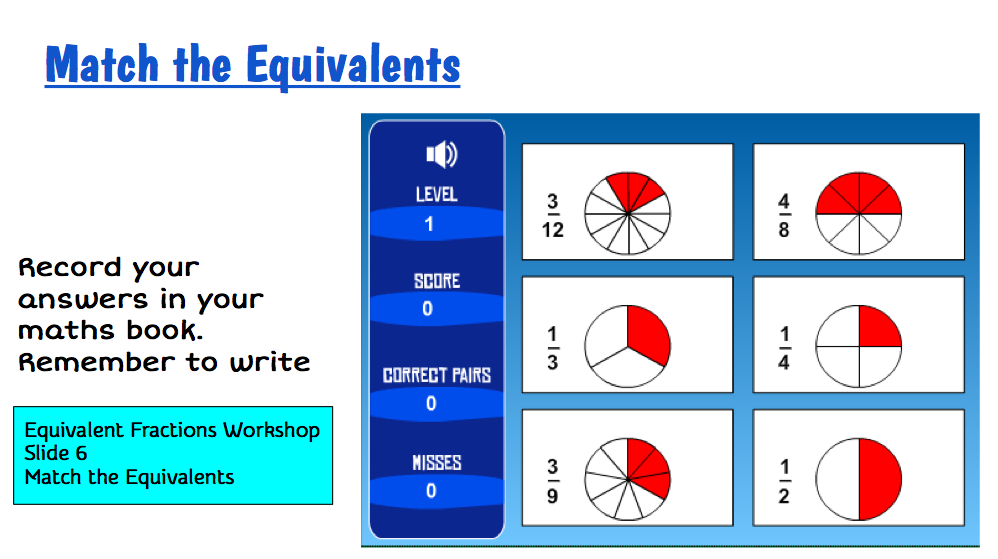
I worked with one group today while the others worked through their tasks. We started the workshop Equivalent Fractions. We focussed on Slide 2 and looked at Equivalent Fractions.

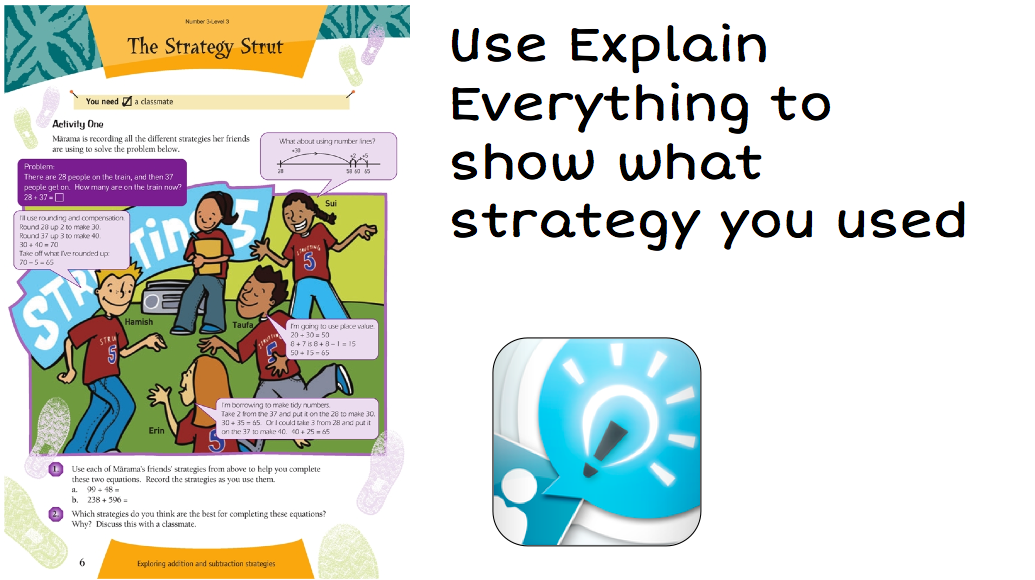
 This was very successful, and the students eventually started racing the person who was completing the task on Explain Everything by writing the answers in their maths books.
Inquiry
I started the Inquiry topic today with a focus on Keywords. This is the presentation I am using.
And this is the SAMR model I am following. We completed the tasks in Substitution and Augmentation. The students used their topic books to record their keywords. Both TVs were used with iPads mirroring the story.

Monday, February 10, 2014
Starting the School Year
Orientation
I was thinking about how I could best start an e-Learning class at the beginning of the year. I want my students to become independent learners as soon as possible so the best way to introduce them to this is the 'Orientation Contract'
This would include
If you make your wiki or site the place to go to get the tasks then students will get used to the wiki.
I was thinking about how I could best start an e-Learning class at the beginning of the year. I want my students to become independent learners as soon as possible so the best way to introduce them to this is the 'Orientation Contract'
This would include
- the 'Getting to know me' form
- great way of finding out how your students like to learn
- find some things out about them that you don't know
- the Wonder Wall
- get them thinking existentially
- great starters for discussion and independent investigations
- Tasks in the spaces with small independent investigation
- individual, peer and group tasks
- Management Chart
- students start to manage their time and track their learning
- Digital citizenship tasks
- ongoing tasks for the year
- Device care contract
- how to look after equipment
- Setting up of books standards
- ensure that high expectations are set for book work i.e use of rulers etc
- Getting to know apps and trouble shooting
- set a list of tasks that enable students to learn how to troubleshoot their devices
- introduce them to the apps they are going to be using this year
- How to work in a work station
- how to mirror
- how to turn on TVs/Projectors/Apple TVs, troubleshooting
- Using class wiki and resources
If you make your wiki or site the place to go to get the tasks then students will get used to the wiki.
Subscribe to:
Posts (Atom)